Introduction: Why Task Creation Matters in CA Firms
CA firms handle multiple compliances and deadlines daily, where even small delays in GST, ITR, or audits can impact compliance, as noted by the Income Tax Department and GST Portal.
CA CloudDesk’s Task Creation module enables centralized task creation, assignment, and tracking for timely execution. Explore the Task Management Module and other tools under CA Practice Management Software to simplify your practice.
What Is Task Creation in CA CloudDesk?

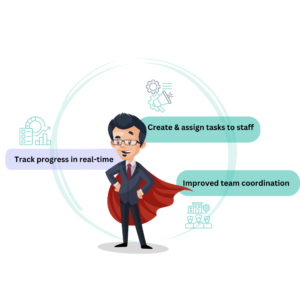
Task creation in CA CloudDesk helps CA firms define, assign, and track work in a centralized system. Tasks include client details, service type, due dates, priorities, and assignees—ensuring clear ownership and execution.
Every task is documented and tracked in real time, eliminating manual follow-ups. Explore the Task Management Module or refer to workflow best practices by ICAI.
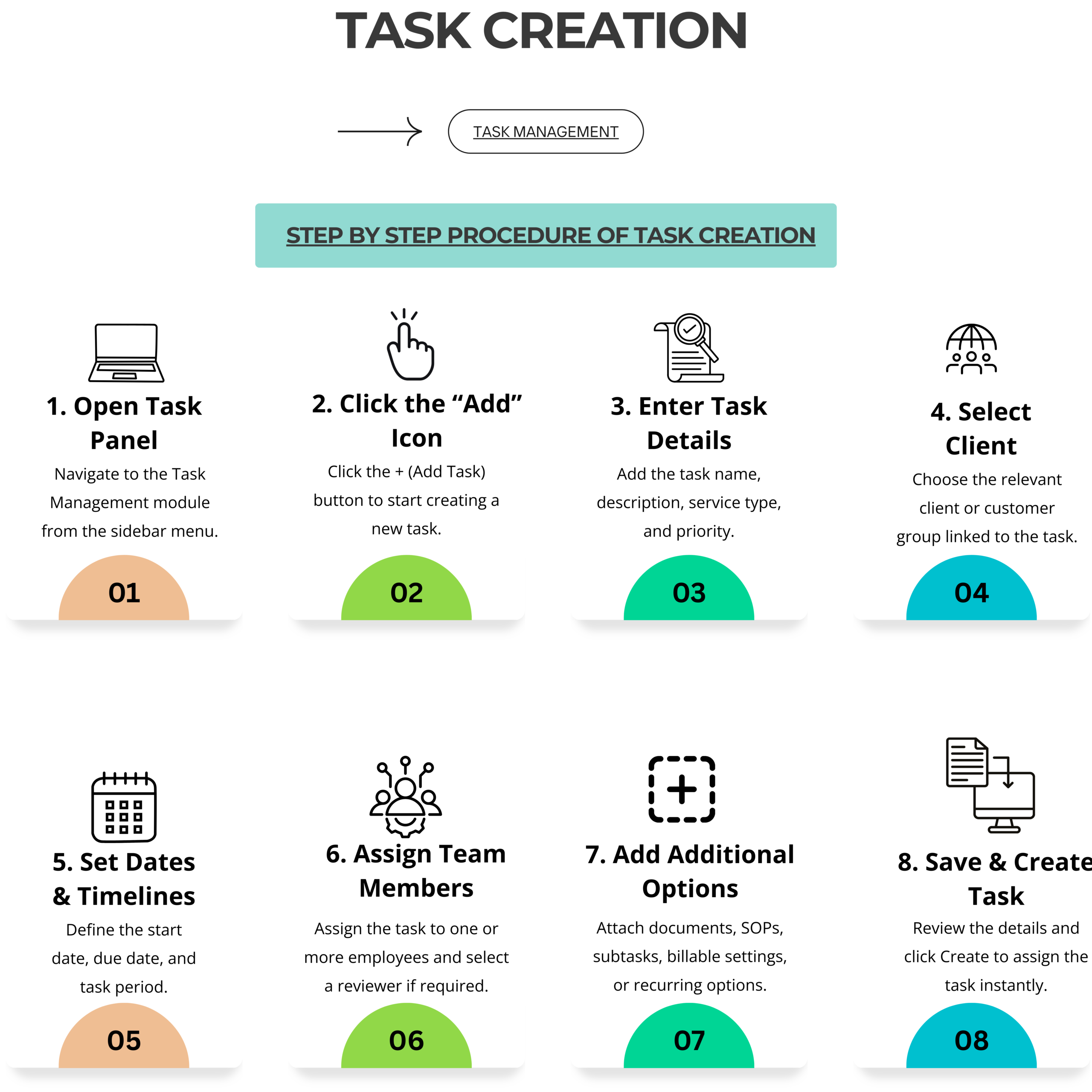
How Task Creation Works in CA CloudDesk
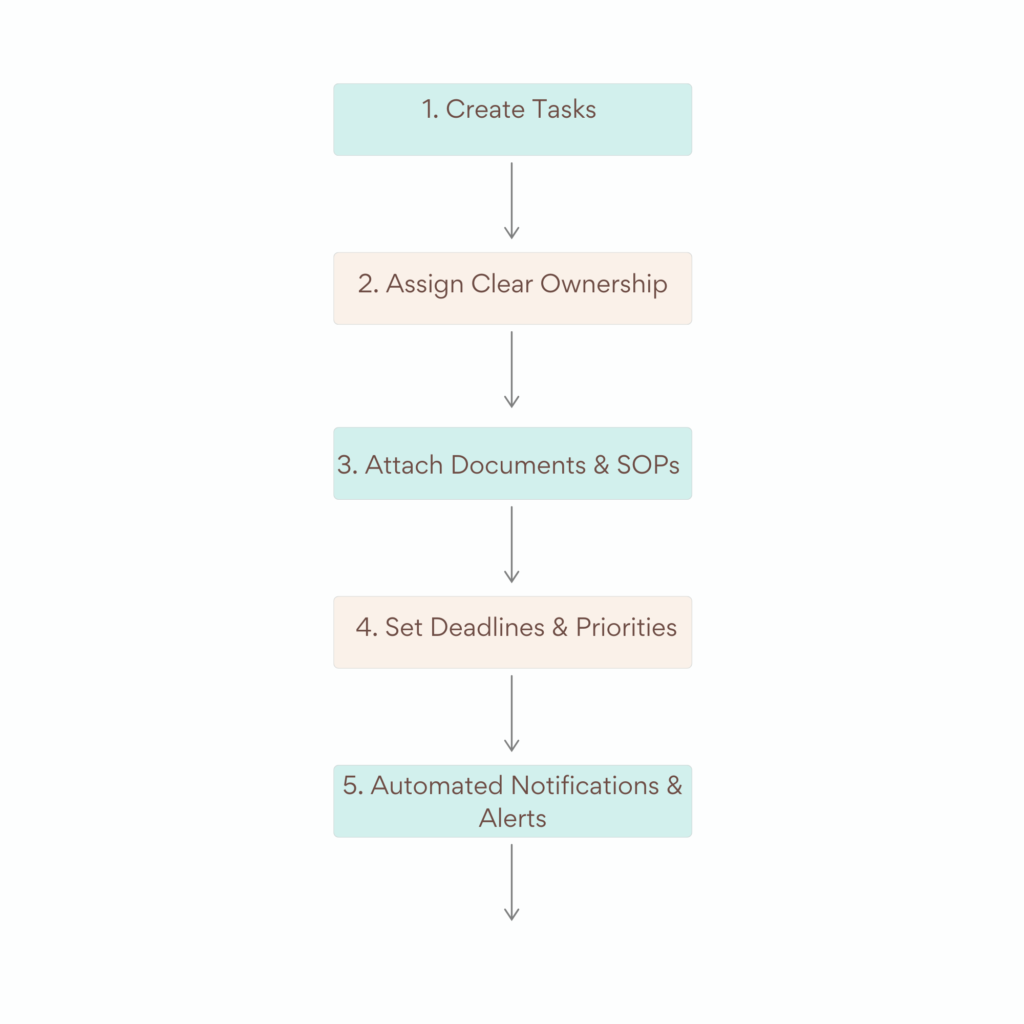
1. Create Tasks in a Few Clicks
Users can quickly create tasks by entering:
-
Task name and description
-
Client and service type
-
Due date and priority
-
Assigned staff or reviewer
- All task-related information is captured in one place, reducing confusion and repeated communication.
- Learn more about Task Creation in CA CloudDesk
2. Assign Clear Ownership
-
Each task is assigned to specific team members, ensuring accountability. Managers can assign:
-
Single or multiple assignees
-
Reviewers for verification
-
Priority levels based on urgency
This structured assignment eliminates dependency on verbal instructions or scattered messages.
-
3. Attach Documents and SOPs
-
Important documents, SOPs, and reference files can be attached directly to the task. This ensures:
-
Easy access to required files
-
Standardized task execution
-
Reduced back-and-forth communication
Everything needed to complete the task stays within the task itself.
-
4. Set Deadlines and Priorities
-
Deadlines and priority levels help teams focus on what matters most. High-priority tasks get immediate attention, while routine work is managed systematically-leading to better workload planning.
5. Automated Notifications and Alerts
-
Once a task is created, CA CloudDesk automatically sends notifications to assignees. Alerts are triggered for:
-
New task assignments
-
Upcoming deadlines
-
Task updates
This removes the need for manual reminders and constant follow-ups.
-
Key Benefits of Task Creation in CA CloudDesk
Improved Team Accountability
Clear task ownership ensures everyone knows their responsibilities.
Reduced Missed Deadlines
Automated reminders help prevent delays and compliance lapses.
Centralized Workflow Management
Manage all tasks across clients and services from one dashboard.
Better Productivity & Time Management
Structured tasks enable faster execution and better prioritization.
Enhanced Client Satisfaction
Timely task completion improves service quality and client trust.
Improved Managerial Control
Real-time visibility into tasks and team progress enables better planning and decision-making.
Explore the Task Management features of CA CloudDesk


Why CA Firms Should Move Away from Manual Task Management
Traditional task management using Excel sheets, emails, or WhatsApp lacks:
-
Real-time visibility
-
Accountability
-
Automated reminders
-
Centralized tracking
CA CloudDesk’s task creation module replaces these outdated methods with a professional, scalable system built specifically for CA firms.
Discover how CA CloudDesk simplifies task management and compliance—explore all modules and upgrade your practice today.
Conclusion: Build a Strong Foundation with Task Creation
Task creation is the foundation of efficient workflow management. With CA CloudDesk, CA firms can create tasks effortlessly, assign responsibilities clearly, and track progress in real time-all from a single platform.
By adopting CA CloudDesk’s Task creation system, firms can eliminate chaos, improve team efficiency, and deliver consistent, timely services to their clients.
Go through CA CloudDesk to explore all modules and make your CA practice smarter, faster, and more organized.